From Excel to CRM: moving your customers without losses
When to move from Excel to a CRM, how to clean data, map fields, run a test import and train the team. A step-by-step plan for business owners.
Published: Updated: 7 min read
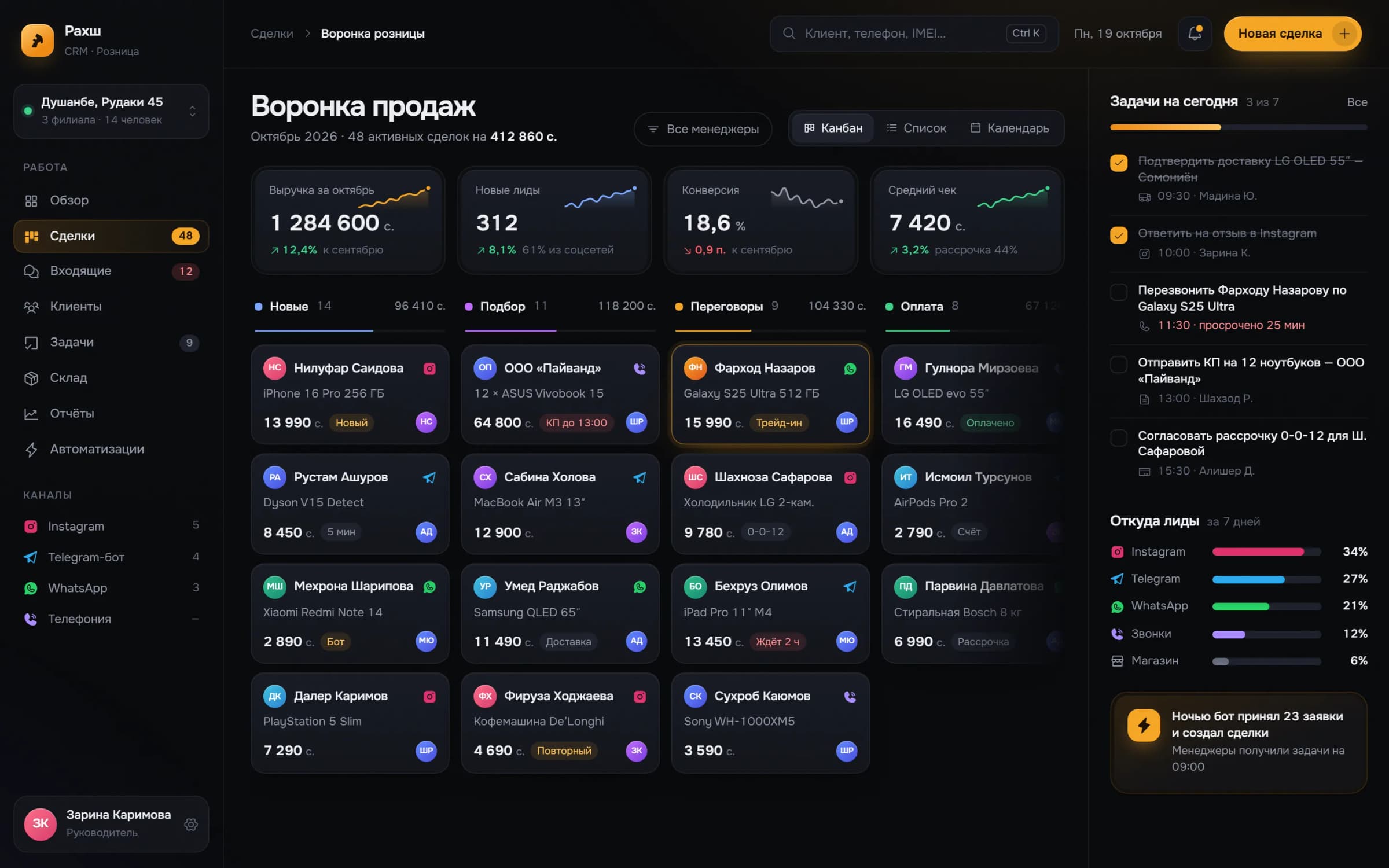
An Excel sheet serves well while there are few customers and one person uses it. Then several managers appear, with duplicates, missed calls and the question "who spoke to them last time". Moving to a CRM solves these problems, but the move itself is the riskiest part: a careless import carries the old mess into the new system. Below is an order of work that lowers that risk.
When it is time to move
Excel is worth replacing if you recognize yourself in several of these points:
- two or more people work with the sheet and file versions diverge;
- a customer came back and the history of contact was lost;
- there are no reminders: the next call lives in a manager's head;
- you cannot quickly say how many enquiries arrived and how many became sales;
- an employee leaves and the customer base leaves with them;
- data arrives from several places (website, messengers, calls) and is retyped by hand.
If you have twenty customers and one person runs sales, tidying the sheet may be enough. We wrote about where to start in Small business CRM: when to adopt and where to start.
Step 1. Decide what exactly you are moving
A CRM does not have to hold everything that is in Excel. Answer in writing:
- which entities you move: customers, contact persons, deals, communication history, products;
- for what period: all years, or only active customers from the last year or two;
- what stays in the sheet archive and who keeps it.
It is better to move less, but clean, than everything at once.
Step 2. Make a copy and name an owner
Before changing anything, save the original file as an untouchable archive with the date. Work on a copy. Name one person who is responsible for data quality and decides on disputed records. Without a data owner, cleaning turns into an endless discussion.
Step 3. Clean the data
This is the longest stage and it cannot be skipped. What to put in order:
- Duplicates. One customer entered twice with a different spelling or phone. Set a rule: a match on phone, email, or name plus city.
- Phone numbers. One format, for example with the country code. Sheets contain spaces, brackets, local prefixes and two numbers in one cell.
- Names and company titles. One letter case, no stray spaces, no different abbreviations.
- Empty and junk rows. Records without contacts, test rows, notes in cells meant for a phone number.
- Mixed data in one column. "Called, call back on Tuesday" instead of a phone. Split such values into separate fields.
- Outdated records. Closed companies and customers silent for years. Decide: archive, flag or leave out.
- Statuses. "In progress", "in progress!" and "working" are one status. Bring them to a list.
A useful trick: add "source" and "last updated" columns if you did not have them. For old records you can put "unknown".
Step 4. Field mapping
Build a mapping table: Excel column, CRM field, transformation rule.
| Excel column | CRM field | What to do |
|---|---|---|
| Name | Company | Remove extra spaces |
| Contact | Contact person name | Split name and job title |
| Phone | Phone | Bring to one format |
| Status | Deal stage | Reduce to the list of stages |
| Manager | Owner | Match with CRM users |
| Comment | History / note | Move as a dated note |
| Date | Created date | Convert to a date format |
Three practical tips:
- If an Excel field has no place in the CRM, decide: create a custom field, move it into a note, or drop it.
- Set up sales stages and reference lists (sources, loss reasons) in the CRM first, and load data only after that, otherwise you will have to correct values.
- If a customer has several contact persons or deals, in Excel they often share one row. Split them before loading: one person and one deal per record.
Step 5. Test import
Do not load the whole base at once. Take 30 to 50 varied records: simple ones, ones with duplicates, with empty fields, with Cyrillic and Latin text, with several contacts. Load them into a test environment or a separate pipeline and check:
- whether all fields landed where they should;
- whether any characters were lost (especially Tajik letters such as ғ, ӣ, қ, ӯ, ҳ, ҷ);
- whether owners and statuses were matched correctly;
- whether duplicates were created;
- whether dates and phones display correctly;
- whether you can find a customer by search.
Fix the transformation rules, not individual records, so the error does not repeat in the main load. Then load the main part and repeat the spot check on the same 30 to 50 records and 20 new ones.
Step 6. Check after loading
Compare the totals with the original sheet:
- the record count before and after (accounting for removed duplicates and junk, explained in writing);
- sums on key numeric fields, such as deal amounts, if you have them;
- a few random customers checked by hand across the whole card.
Ask managers to check their own customers: they notice mistakes fastest. Give them a specific deadline.
Step 7. Personal data
The customer base holds names, phone numbers and sometimes addresses. This is personal data, and Tajikistan has the Law on Personal Data Protection, No. 1537 of 3 August 2018 (text). We do not summarize its requirements; confirm the current version with a lawyer. In practice:
- give access only to those who need it for work, and separate roles;
- do not export the base to personal devices or personal email;
- close access at once when an employee leaves;
- do not keep old copies of the sheet in shared chats.
Step 8. Training and launch
The most common reason for failure is not the import but the team carrying on with Excel. So:
- Set a date after which Excel is read-only. Announce it in advance.
- Run a short training session on real customers: how to find a card, log a call, set a reminder, close a deal.
- Give a one-page cheat sheet with the most frequent actions.
- Name one person to ask in the first two weeks.
- After two to four weeks, collect feedback and adjust fields and stages.
- Measure not "did we roll it out" but "is it used": how many deals were created in the CRM and how many reminders were completed.
Final checklist
- Decided what to move and for what period.
- Saved the original sheet as an archive.
- Named the data owner.
- Removed duplicates, unified phones, names and statuses.
- Built the column-to-field mapping table.
- Set up stages and reference lists in the CRM before loading.
- Ran a test import on 30 to 50 records.
- Reconciled totals and sample cards after the main load.
- Configured roles and access rights.
- Trained the team and set the date to stop using Excel.
If your data lives not only in Excel but also in messengers, email and notebooks, the move can be combined with setting up enquiry intake. For one such channel, see What a Telegram bot can and cannot do for business.
<!-- related-links -->