What a Telegram bot can and cannot do for business
What a Telegram bot can do for a business: enquiries, bookings, catalogue, notifications, answers and handoff to staff. Limits and what to prepare.
Published: Updated: 7 min read
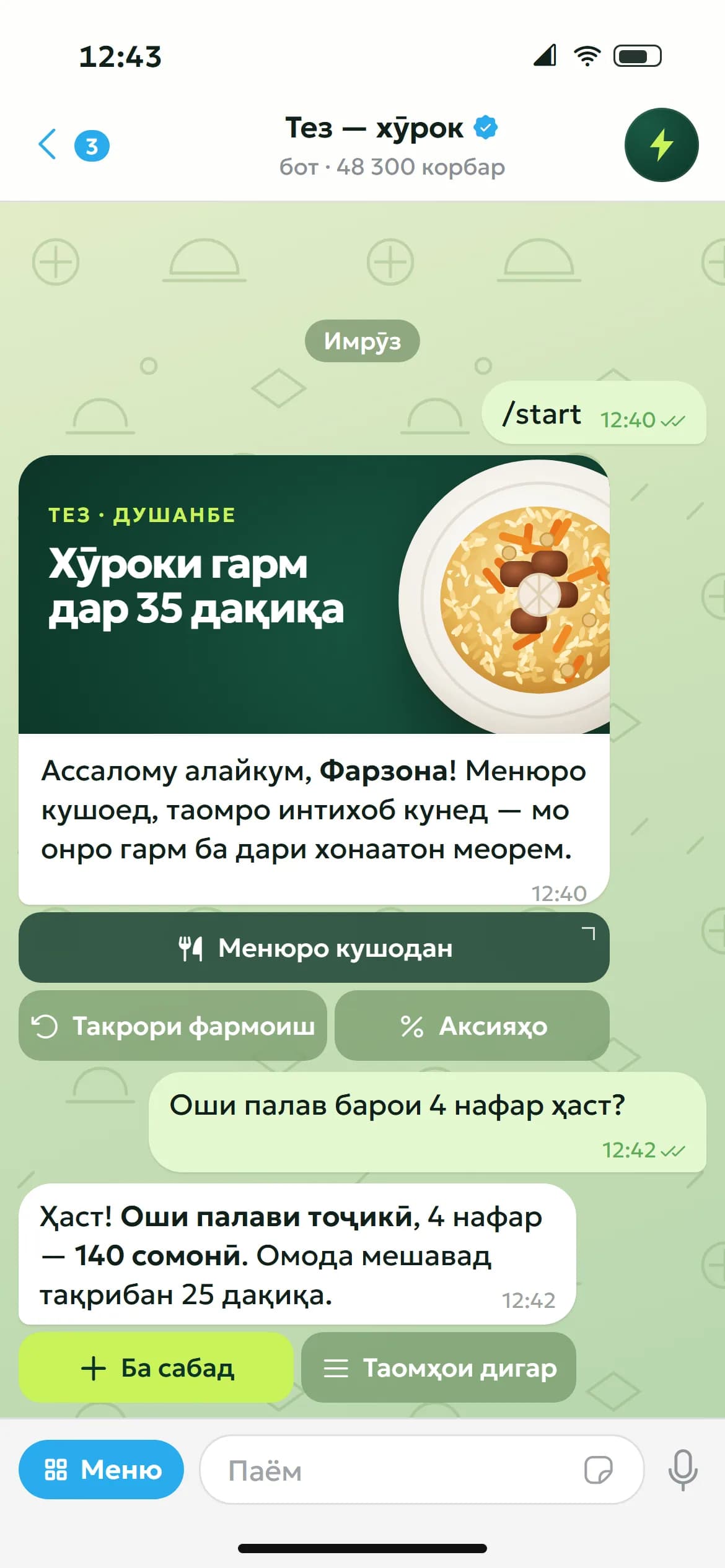
A Telegram bot is a program that talks to people in a Telegram chat and carries out set actions. For a business it is a way to receive requests where clients already are, without making them open a website or install an app. This guide covers which tasks a bot does well, where its limits are and what to prepare before you start.
What a bot is and where it helps
A bot is not a person and not necessarily "artificial intelligence". In most business tasks it follows clear scenarios: it shows buttons, asks questions in order, remembers answers and passes data to other systems. That predictability is what makes it a reliable helper.
A bot helps when:
- the same questions repeat many times a day;
- clients write outside working hours and need at least a first reply;
- enquiries are collected by hand from chat history;
- staff need to learn about new requests quickly.
Tasks a bot handles
Taking enquiries
The bot asks questions in order: name, what is needed, preferred time, phone number. The answers become a structured enquiry instead of getting lost in a chat. A staff member receives a notification and the enquiry lands in a shared list or in the CRM.
Booking an appointment or service
The client picks a service, a date and a time from the available slots, then confirms. The bot reminds them about the visit and lets them reschedule or cancel. This takes some calls and messages off the receptionist. Free slots must come from the real schedule, otherwise booking becomes a source of double bookings.
Catalogue and selection
A bot can show products or services with photos, descriptions and prices, narrow down choices with a few questions and build a basket or a quote request. For a small catalogue this is faster than a website. For a large one the website is better, and the bot becomes a quick way in.
Notifications to clients
Enquiry confirmation, order status, appointment reminder, documents ready. The client gets the message straight in Telegram. But you can only write to people who have started a conversation with the bot.
Answers to frequent questions
Address, opening hours, delivery terms, list of documents. The bot answers instantly at any time. Questions it cannot answer go to a person, rather than the bot inventing a reply.
Handoff to staff
A good bot knows its limits. When a question is complex or the client asks for a person, the bot passes the conversation to a manager along with the information already gathered. The client does not have to repeat themselves.
Internal tasks
A bot is not only for clients. It can alert the team about new requests, collect reports from staff, remind people of tasks and confirm approvals.
Connection to a CRM and other systems
The biggest benefit appears when the bot does not live on its own. An enquiry from the bot creates a card in the CRM with its source, a task is assigned to the owner and the status is updated. We covered why this matters in the guide "CRM for a small business". A simple connection is quick to set up. Exchange with accounting systems and payment services is estimated separately.
Limits worth knowing in advance
Telegram sets the rules, and a bot has to follow them. They are described in the Bot API documentation and the bots FAQ.
- A bot cannot write first. It only replies to people who pressed "Start" or wrote to it, or who added it to a chat. You cannot message a list of phone numbers.
- Users can block the bot. After that you cannot write to them. So do not abuse broadcasts.
- There are limits on message frequency. Mass mailings must be spread out over time rather than sent all at once.
- Groups have access settings. By default a bot does not see every message in a group. What it sees depends on its settings.
- Telegram is not equally convenient everywhere. Part of your audience uses other messengers. If most of your clients are there, a Telegram bot will help little.
- A bot lives on someone else's platform. Telegram can change its rules. Keep critical data on your side rather than only in chats.
If you need payments, a personal account or complex calculations inside Telegram, that is estimated separately.
Bot, website or both
A bot and a website solve different problems.
| Question | Bot | Website |
|---|---|---|
| First contact with a new client | Only if the person already knows the bot | Found through search |
| Quick enquiry | Very convenient | Needs a page visit |
| Company description and trust | Not enough | The main tool |
| Repeat contact and notifications | Very convenient | Needs email or other channels |
| Large catalogue | Awkward | Convenient |
Most often they work together: the website attracts and persuades, the bot takes enquiries and reminds.
What to prepare
To make a bot useful, answer a few questions before development.
- The main task. What should the bot do first: enquiries, booking, answers?
- Scenarios. Which questions do clients ask most often and how does a staff member answer them?
- Text. The greeting, replies and button labels in the languages you need. We can help with wording, but you know the facts about your business.
- Data. Catalogue, prices, schedule, addresses. They will need updating.
- Who receives enquiries. A staff member, a group or the CRM.
- Rules for handoff to a person. When the bot calls for staff and at what hours they reply.
- Consent for data. Which client data you collect, why, and how you tell them.
How the work goes
- Task review. Together we define the scenarios and the limits of the first version.
- Dialogue map. We draw how the bot leads the conversation and agree on it.
- Development and connection. We configure the bot and link it to the CRM or a spreadsheet.
- Testing on real examples. We run typical and awkward scenarios.
- Launch and observation. We see where clients get stuck and refine.
It is better to start with one task. A bot that takes enquiries well is more useful than one that does ten things badly.
Common mistakes
A bot with no route to a person. The client is stuck and gets no help. Always leave a way to call a staff member.
Scenarios that are too long. Every extra question reduces the number of people who finish. Ask only what is necessary.
No owner. Prices and schedules change. If nobody updates the bot's data, it starts misleading clients.
Expecting the bot to replace a manager. It removes routine work, not the conversation where a person is needed.
Ignoring consent. Do not collect more data than you need, and say why you need it.
Where to start
Describe one recurring situation, for example "clients ask about availability and opening hours" or "bookings are taken in private messages". If there is no such situation, you may not need a bot yet. If there is, we can discuss it at the first conversation: we will estimate the scope, the connections and what we need from you.
<!-- related-links -->